- Client project
- Custom Software
- Desktop Applications
Lakhaji ERP
A Windows desktop ERP that moved a personalised-gifts business off Excel: inventory, sales, quotations, production, costing and GST in one system, used every day.
- Client
- Lakhaji Personalized Gifts
- Services
- Custom software, Desktop application, Database design
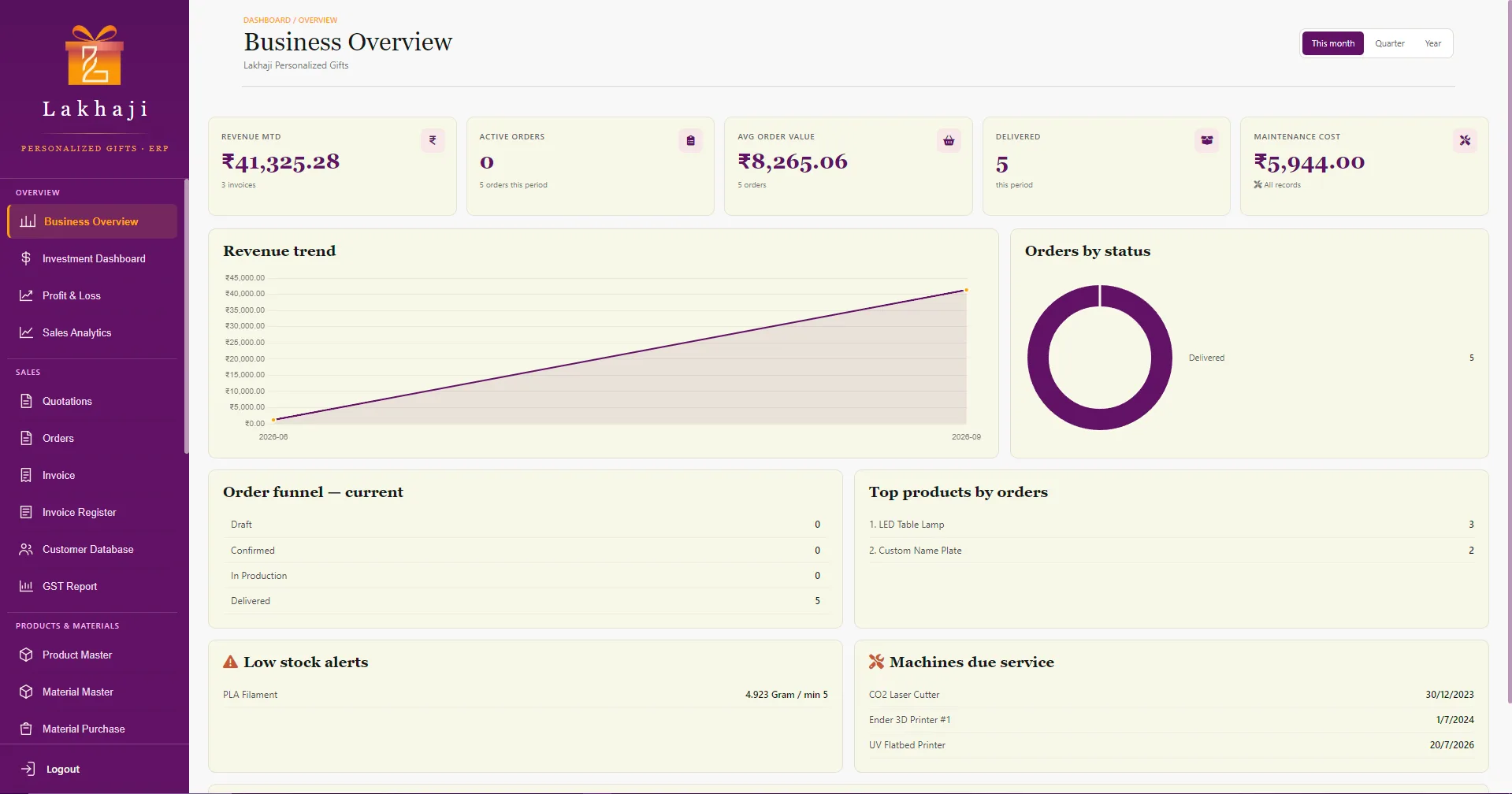
Business overview. Screens show sample data.
What changed for the business
Excel retired
Stock, sales, quotations and GST now live in one system instead of a set of spreadsheets.
Quote to invoice in one flow
A quotation becomes an order, then a GST invoice with a UPI QR code, without re-typing anything.
Real product costs
Prices are worked out from materials, packaging, machine time and labour, not guesswork.
Used every day
The team runs the business on it daily.
01Overview
The project
- Client
- Lakhaji Personalized Gifts
- Project type
- Client project
- Platform
- Windows desktop
- Our role
- Design, development and packaging
- Built
- July to September 2026
- Status
- In daily use
Lakhaji ERP is a desktop application built for Lakhaji Personalized Gifts, a business that makes personalised gifts to order.
It replaced the Excel sheets the business used to run on, and brings the day-to-day operation into one place: quotations and orders, production, materials and stock, purchasing, product costing, GST invoicing and reporting, and the machines the work runs on.
Work started in July 2026 and the app reached its third major version by the end of September. The team uses it every day, on their own computers.
We designed and built the complete application, from the database and the desktop app to invoicing, reports, the Windows installer and automatic updates.
02The challenge
What the business needed
Lakhaji ran its inventory, sales and everything around them in Excel. The goal was to move all of it into proper software built around how the business works, quotations and GST included.
Personalised gifts have a lot of moving parts. Every order needs a quote, materials that are bought and stocked in different units, time on specific machines, labour, packaging and a GST invoice. Keeping stock, production and billing in step needs one source of truth.
- 01
Products costed from materials, packaging, machine time and labour
- 02
Materials bought in one unit and used in another: sheets, kilograms, pieces
- 03
Orders that move from quotation to production, delivery and invoice
- 04
GST on sales, purchases and maintenance bills
03The solution
Twenty-plus screens, grouped the way the business works.
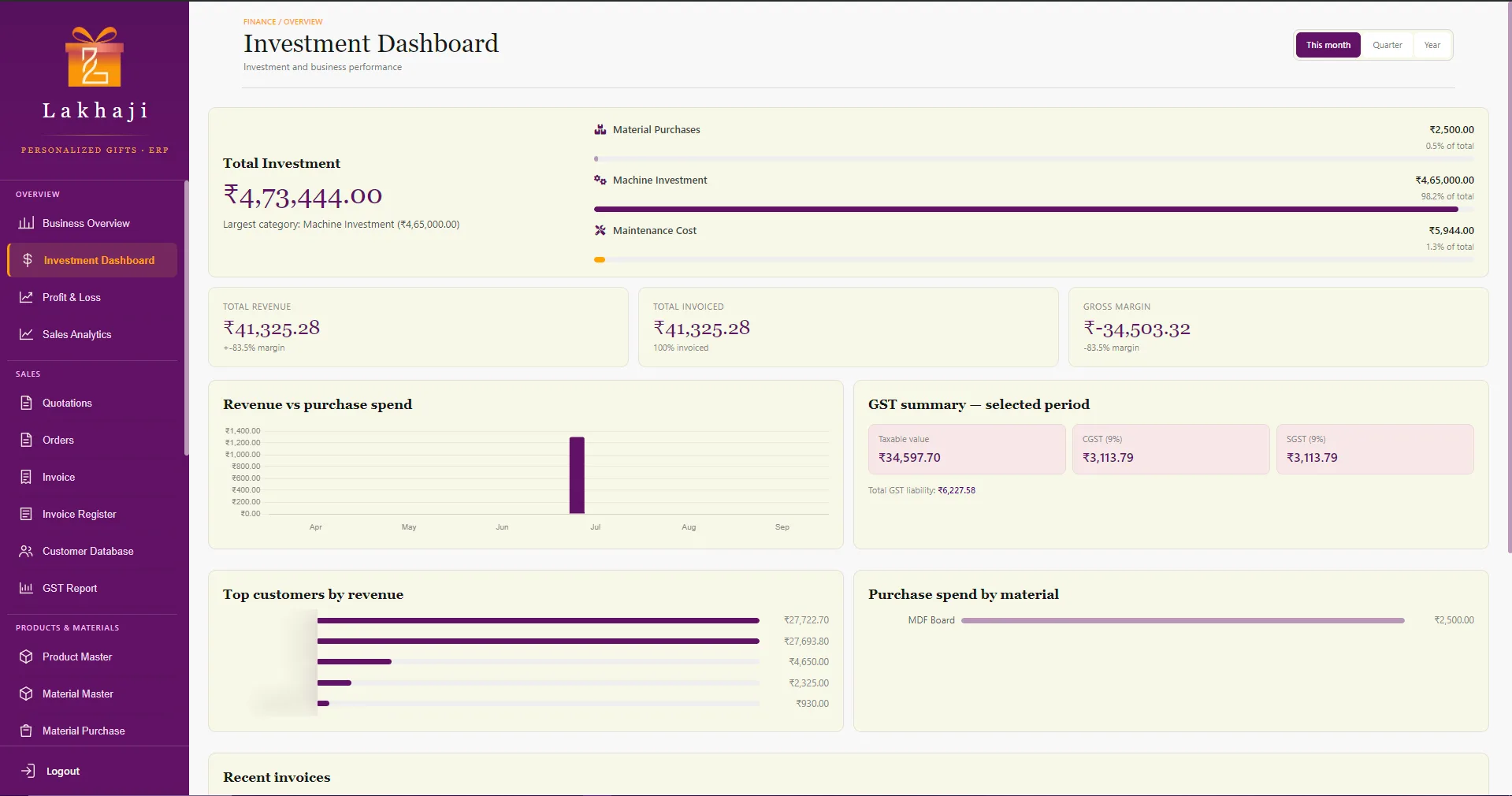
Dashboards and finance
A business overview for the month, quarter or year, plus an investment dashboard that breaks down material, machine and maintenance spend against revenue and GST.
- Business Overview
- Investment Dashboard
- Profit & Loss
- Sales Analytics
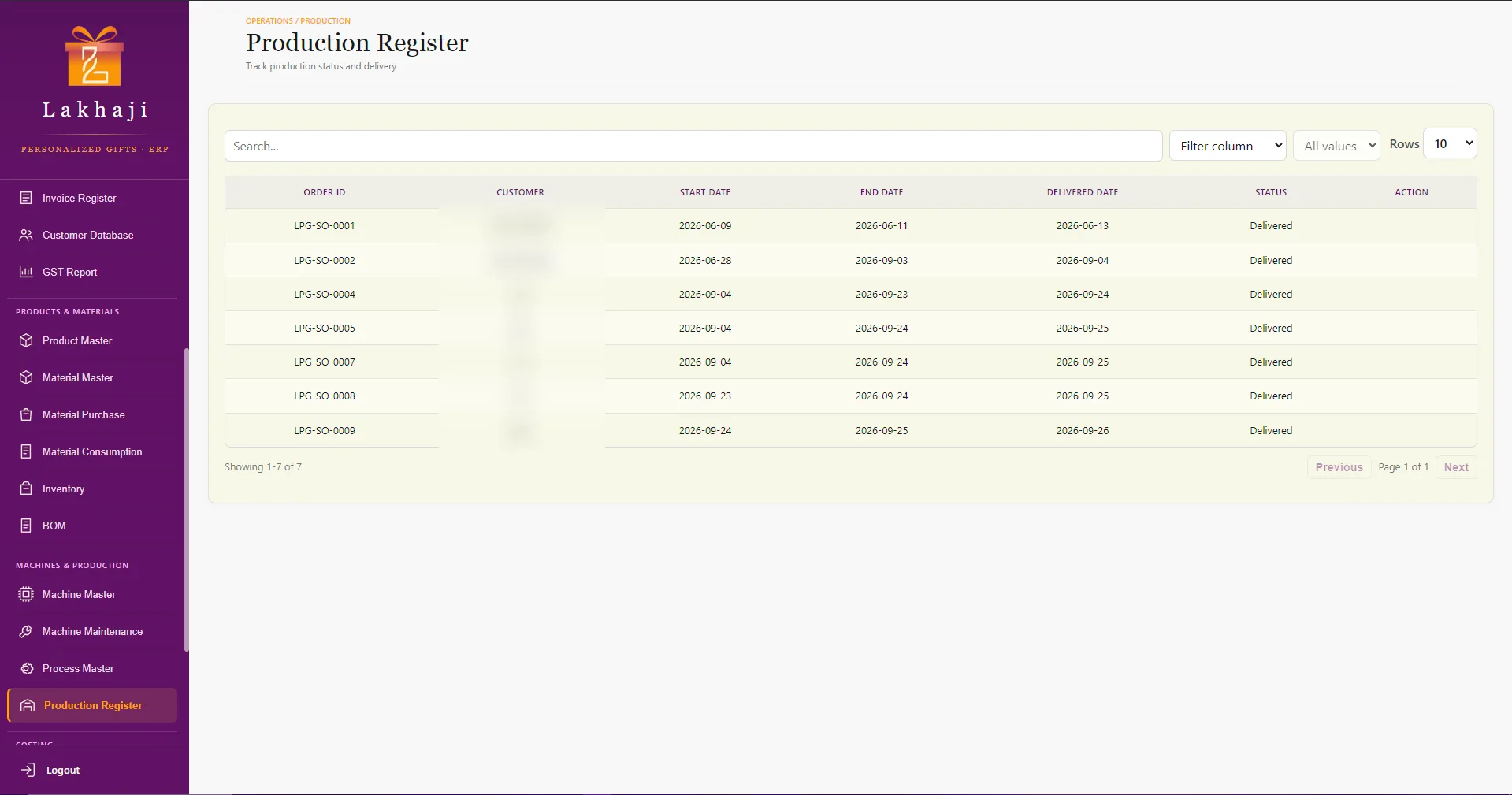
Production
A production register follows each order from start date to end date and delivery, with processes and material consumption recorded alongside.
- Production Register
- Process Master
- Material Consumption
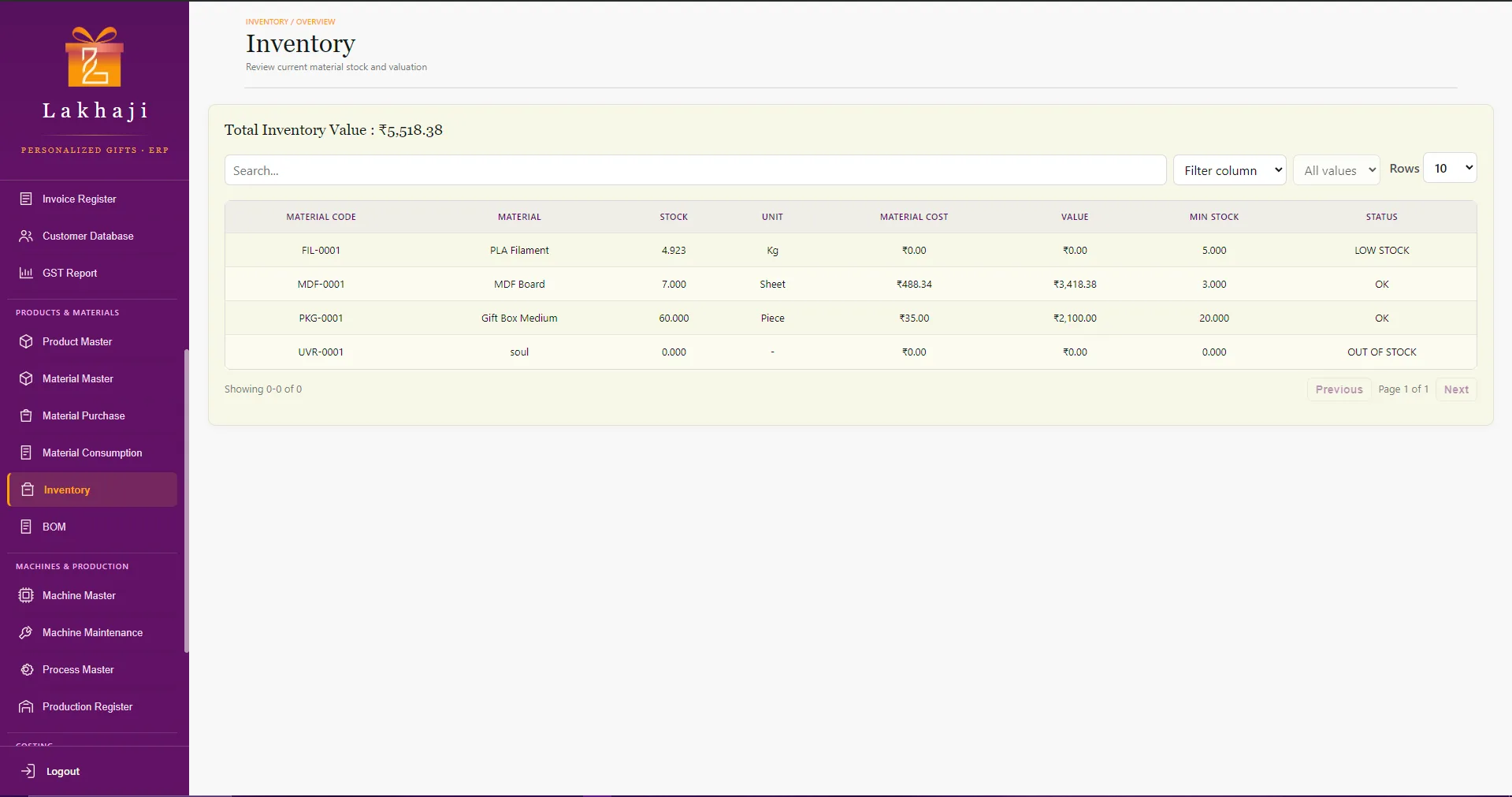
Materials and inventory
Material records carry categories, sizes, stock and consumption units, conversion factors and minimum stock. Inventory shows stock value and flags low and out-of-stock items.
- Material Master
- Inventory
- BOM
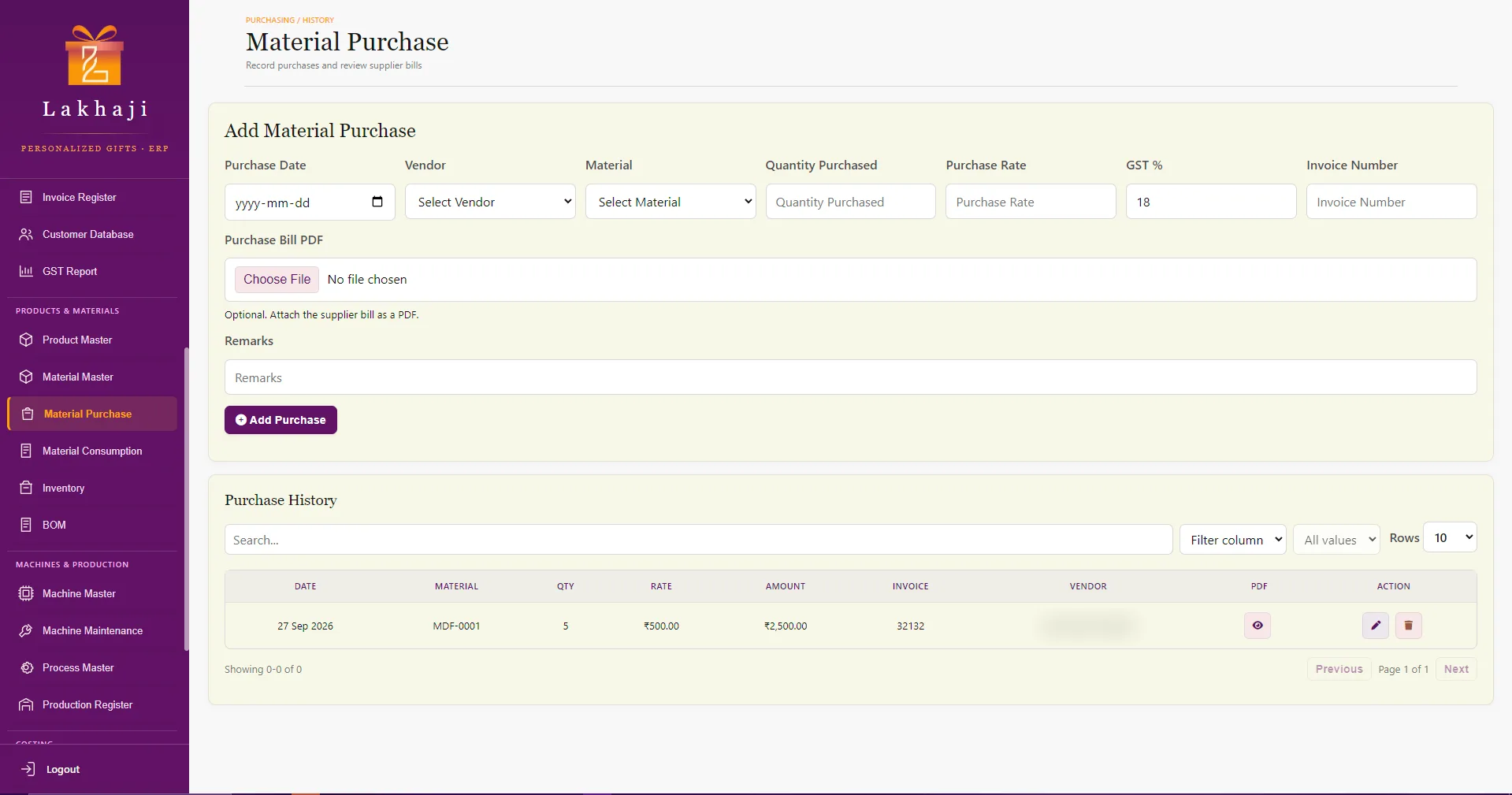
Purchasing and vendors
Purchases are recorded against vendors and materials with GST, and the supplier's bill can be attached as a PDF. Vendor records hold categories, ratings and payment terms.
- Material Purchase
- Vendor Master
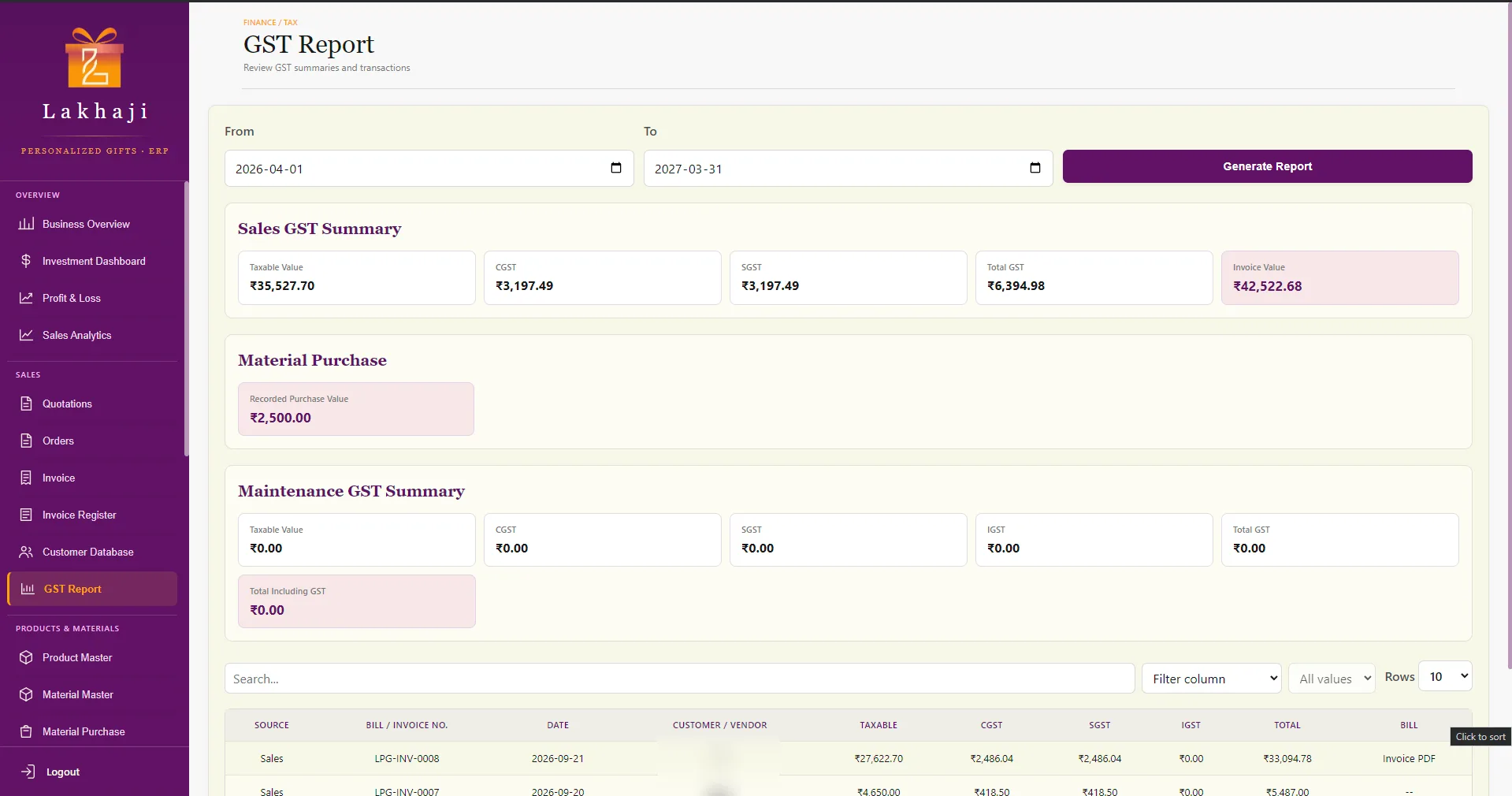
GST reporting
Sales, purchase and maintenance GST summaries for any date range, with every transaction listed, searchable and linked to its bill.
- GST Report
Quotations, orders and invoices
A quotation turns into an order in one step, and the order into an invoice. Invoices print or save as PDF with a UPI QR code for the balance due, and the invoice register records each payment and keeps the history.
- Quotations
- Orders
- Invoice
- Invoice Register
- Customer Database
Product costing
A cost calculator combines material and packaging, machine and labour costs into a selling price, and keeps a cost history for every product.
- Cost Calculator
- Cost History
Machines and maintenance
Machine records with generated IDs, maintenance history and bills, and machines due for service surfaced on the dashboard.
- Machine Master
- Machine Maintenance
04Results
What we delivered
Lakhaji runs on it every day, and the client is very happy with it. We don't publish business figures for this project, so here's what was delivered.
- Inventory, sales, quotations and GST moved from Excel into one system
- Built and shipped in about three months, July to September 2026
- A Windows installer and a portable build
- 20+ screens across sales, purchasing, inventory, production, costing, finance and maintenance
- GST reporting across sales, purchases and maintenance
- Invoice PDFs with a UPI payment QR code, printed from the desktop app
- Automatic updates, plus backup and restore
- Automatic checks on every flow that handles money
05For technical readers
Technical details
Show how it was builtHide technical details
- 01
A secure desktop architecture
Built on Electron with a strict split: the screens never touch the database. With Node access switched off and context isolation on, they call a narrow API exposed by the preload script, and the main process handles every database operation through 20 IPC handlers and 15 data models.
- 02
MySQL at the core
Operational data lives in MySQL. The app finds the local MySQL server automatically, even when it isn't on the default port, and remembers a connection that works.
- 03
Modules that mirror the business
Masters for products, materials, vendors, customers, machines and processes feed the day-to-day registers: purchases, BOMs, production, consumption, orders, quotations and invoices.
- 04
Consistent, fast screens
Shared table tooling gives every register search, filters, sorting and pagination. A custom confirmation dialog with proper keyboard focus handling replaces the browser's native prompts.
- 05
Tested where money moves
Automated smoke tests cover GST export, invoice payments, purchases, vendor history, maintenance bills and the investment dashboard, and a GitHub Actions check runs on every push.
- 06
Shipped like real software
Packaged as a Windows installer and a portable build, with automatic updates, and backup and restore built in.
- Desktop
- Electron 27
- Node.js
- HTML, CSS & JavaScript
- Data
- MySQL
- mysql2
- Delivery
- electron-builder
- NSIS installer
- Portable build
- electron-updater
What we learned
- Keeping the database behind the main process makes the app safer and easier to change: screens can be rebuilt without touching data access.
- Costing only works when units are consistent. Conversion factors on every material keep purchase, stock and consumption figures in line.